Cloud Save Sync
Spool backs up and restores your saves around every play session using ludusavi, and syncs those backups through a cloud remote with the bundled rclone. The freshest save is pulled before launch and pushed after you quit, so you can stop on the Deck and pick up on the PC without overwriting yourself.
How a session works
Section titled “How a session works”Each time you launch a game from Spool:
- Restore — Spool pulls the latest backup from the cloud and restores it, so you start from your most recent save.
- Play — the game runs.
- Back up — when you quit, Spool captures the saves and uploads them to the cloud.
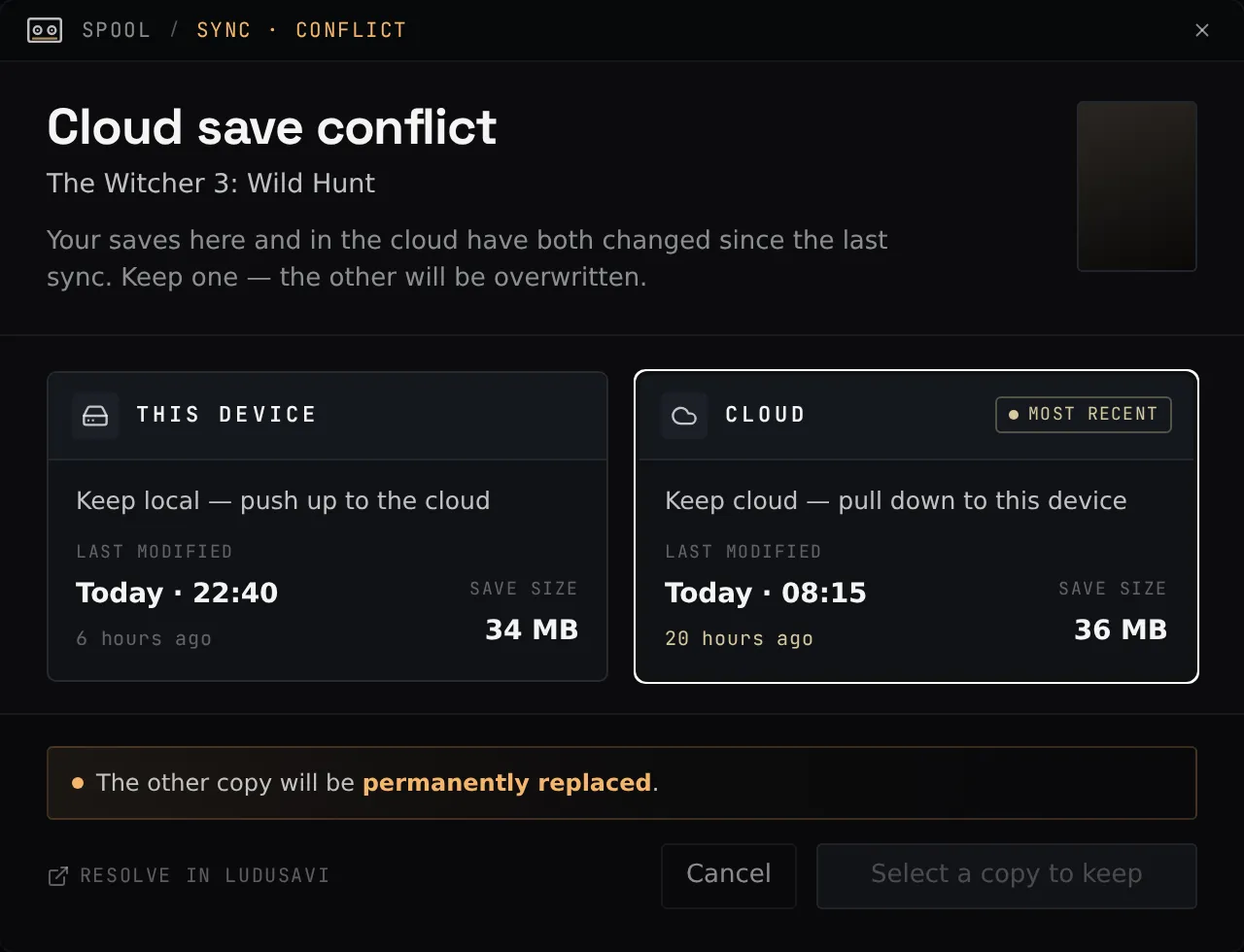
If the cloud copy is simply newer than your local one, Spool fast-forwards to it silently. If both sides changed since the last sync — a genuine conflict — Spool stops and shows a conflict picker so you choose which save to keep, rather than guessing.
Set up a cloud remote
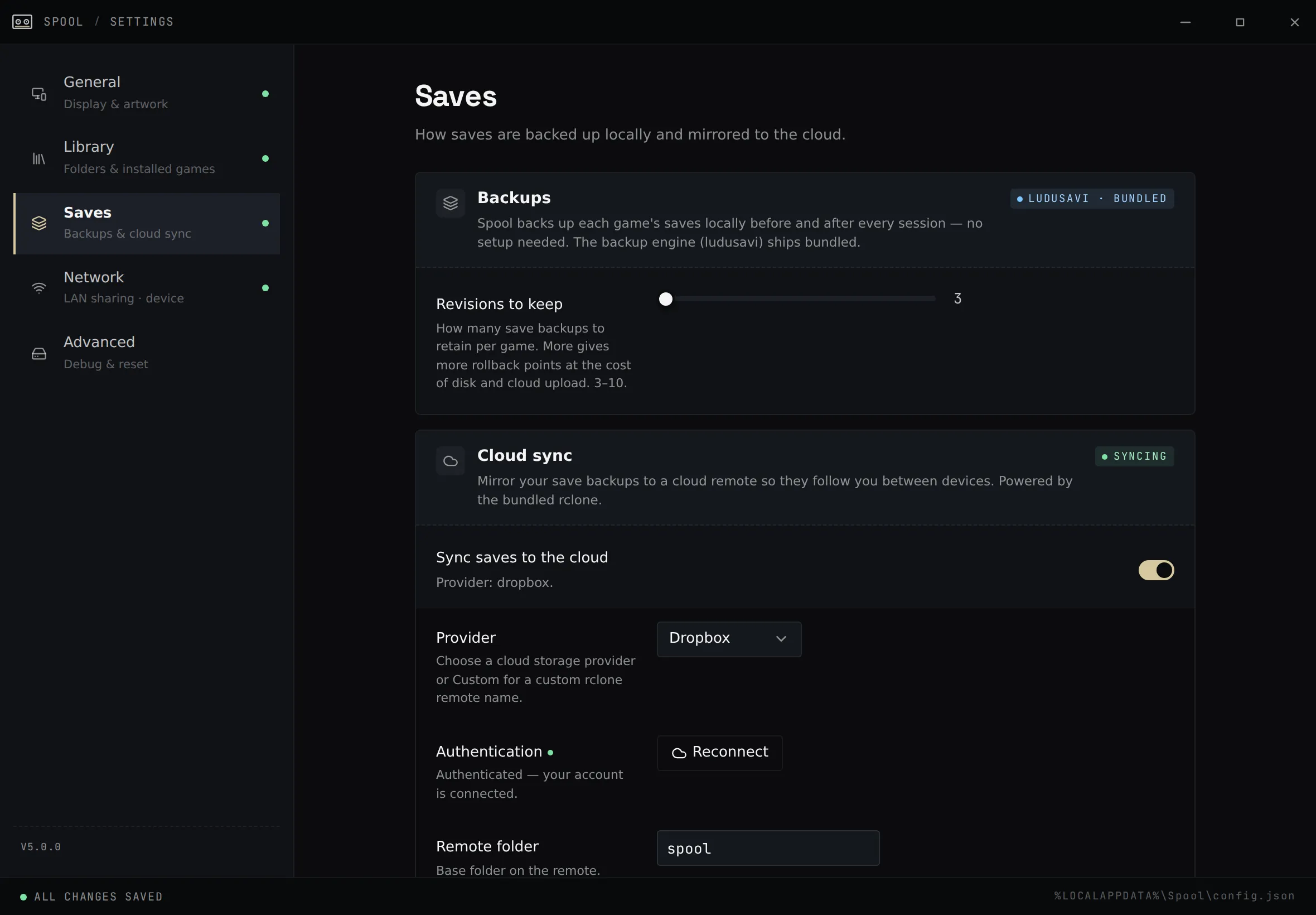
Section titled “Set up a cloud remote”Open Settings → Saves. Spool supports Dropbox, Google Drive, OneDrive, Box, FTP, SMB, WebDAV, or a custom rclone remote.
Google Drive, Dropbox, OneDrive, Box
Section titled “Google Drive, Dropbox, OneDrive, Box”These use a browser sign-in:
- Pick the provider.
- Click connect — Spool opens your browser to authorize access.
- Approve the request and return to Spool. It stores the connection and is ready to sync.
For Google Drive, Spool requests only the access it needs to manage its own backup folder — it can’t see the rest of your Drive.
WebDAV, FTP, SMB, or a custom remote
Section titled “WebDAV, FTP, SMB, or a custom remote”Choose the type and fill in the connection details (URL, username, and so on). These don’t need a browser sign-in.
The Custom provider points Spool at any rclone remote you’ve set up yourself. One handy use is syncing to a machine on your own network over SFTP — a Raspberry Pi, NAS, or home server — which is typically much faster than a public cloud provider and keeps your saves at home. See Self-hosted SFTP Remote.
Base folder
Section titled “Base folder”Saves are stored under a base folder on the remote that you can set in Settings.
Spool keeps your save backups in <base>/ludusavi-backup and a small amount of
its own coordination data in <base>/_spool.
Using it across devices
Section titled “Using it across devices”Configure the same remote and base folder on each device. With that in place:
- Playtime, last-played, and the “saves backed up” badge are pooled across all your devices.
- If another device still has a session whose saves haven’t reached the cloud yet, Spool warns you before launching the same game — with a “play here anyway” override — so two devices don’t fork the same save.
If the remote is unreachable
Section titled “If the remote is unreachable”Spool checks the remote’s reachability and surfaces the status in the app. A cloud probe that can’t connect fails quickly rather than hanging a launch, so an offline remote won’t block you from playing.